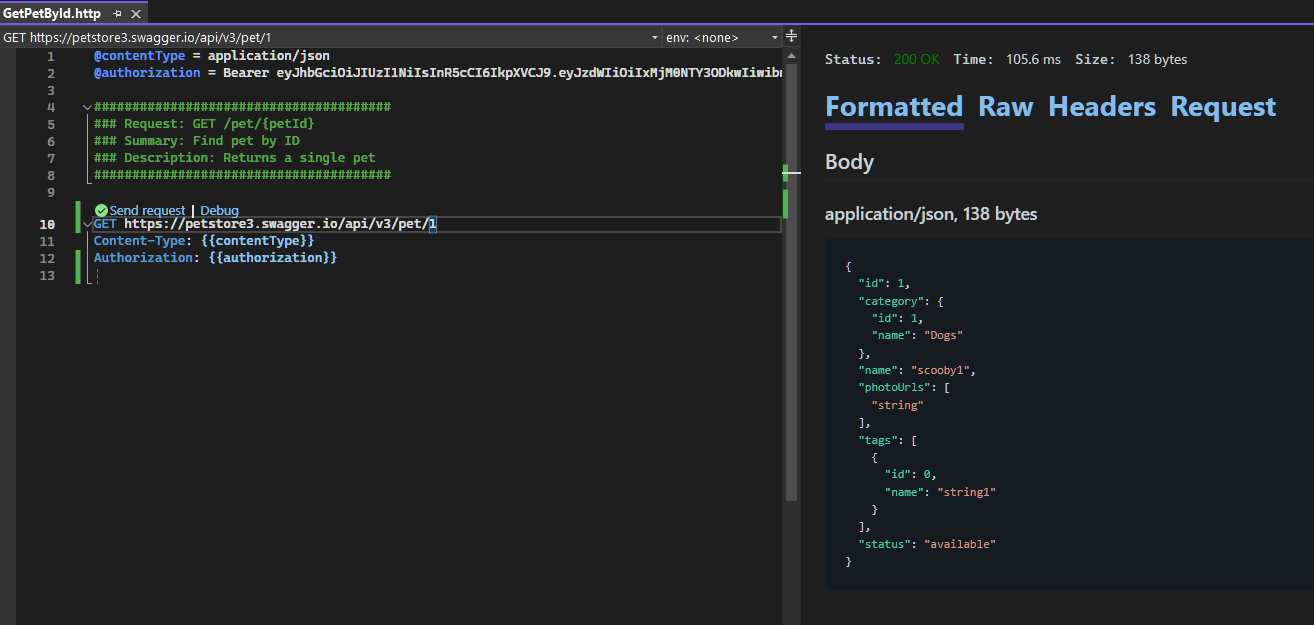
HTTP File Generator
Generate .http files from OpenAPI specifications
.http files were made popular by the Visual Studio Code extension REST Client, which then was adopted by JetBrains IDE's, and later on Visual Studio 2022
Installation
HTTP File Generator now ships as a Rust CLI plus thin IDE hosts.
The CLI was recently migrated to Rust for performance reasons and because I am using Rust more and more these days while working on older hardware. On that hardware, the Rust based CLI currently runs the smoke tests about 60x faster than the legacy .NET tool.
- Install from crates.io with
cargo install httpgeneratorwhen you want the canonical Rust ecosystem install path for published releases. - Install the prebuilt CLI on macOS or Linux with
curl -fsSL https://christianhelle.com/httpgenerator/install | bash. - Install the prebuilt CLI on Windows PowerShell with
irm https://christianhelle.com/httpgenerator/install.ps1 | iex. - Install on Linux systems with snapd using
snap install httpgenerator. - Download a platform-specific CLI archive from GitHub Releases and place
httpgenerator/httpgenerator.exeonPATH. - Build locally with
cargo build --release -p httpgenerator. - Install the platform-specific VS Code
.vsix; each package bundles the native Rust CLI. - Install the Visual Studio 2022
.vsix; it bundleshttpgenerator.exe.
cargo install httpgenerator
curl -fsSL https://christianhelle.com/httpgenerator/install | bash
irm https://christianhelle.com/httpgenerator/install.ps1 | iex
snap install httpgenerator
The legacy .NET CLI remains in the repository as a maintained compatibility surface and migration oracle, but it is no longer the primary release path.
Compatibility fixes can still land in the legacy .NET CLI, but new features will only be implemented in the Rust CLI. The .NET tool will eventually be retired once the remaining compatibility path is no longer needed.
crates.io is the Rust-native install and library distribution path. The install scripts and GitHub Releases cover the prebuilt standalone CLI, and the editor extensions continue shipping their own bundled native binaries through Marketplace / VSIX distribution.
The VS Code extension is a bundled-binary distribution, not a crates.io or legacy .NET Tool installer. Its runtime contract is http-file-generator.executablePath, then the bundled extension binary, then repo-root workspace target\debug / target\release outputs during development, and finally PATH. If the explicit setting is invalid, the extension should stop and ask you to correct it.
The standalone release matrix currently covers linux-x64, darwin-x64, darwin-arm64, and win-x64. Windows on ARM currently uses the x64 standalone install path.
The public crates are httpgenerator (CLI) and httpgenerator-core. The httpgenerator-core::openapi::* API now covers OpenAPI loading, inspection, and normalization, while differential compatibility coverage remains internal test-only support.
The canonical source layout is src\rust, src\dotnet, and src\vscode. Root entrypoints stay at the repository root, so Cargo commands still run from the root Cargo.toml, .NET commands still target src/dotnet/*.slnx, and VS Code packaging still runs through src\vscode\build.ps1.
Usage
USAGE:
    httpgenerator [URL or input file] [OPTIONS]

EXAMPLES:
    httpgenerator ./openapi.json
    httpgenerator ./openapi.json --output ./
    httpgenerator ./openapi.json --output-type onefile
    httpgenerator https://petstore.swagger.io/v2/swagger.json
    httpgenerator https://petstore3.swagger.io/api/v3/openapi.json --base-url https://petstore3.swagger.io
    httpgenerator ./openapi.json --authorization-header Bearer eyJhbGciOiJIUzI1NiIsInR5cCI6IkpXVCJ9c
    httpgenerator ./openapi.json --azure-scope [Some Application ID URI]/.default
    httpgenerator ./openapi.json --generate-intellij-tests
    httpgenerator ./openapi.json --custom-header X-Custom-Header: Value --custom-header X-Another-Header: AnotherValue

ARGUMENTS:
    [URL or input file]    URL or file path to OpenAPI Specification file

OPTIONS:
                                                                DEFAULT
    -h, --help                                                                       Prints help information
    -v, --version                                                                    Prints version information
    -o, --output <o>                                       ./                   Output directory
        --no-logging                                                                 Don't log errors or collect telemetry
        --skip-validation                                                            Skip validation of OpenAPI Specification file
        --authorization-header <HEADER>                                              Authorization header to use for all requests
        --load-authorization-header-from-environment                                 Load the authorization header from an environment variable or define it in the
                                                                                     .http file. You can use --authorization-header-variable-name to specify the
                                                                                     environment variable name
        --authorization-header-variable-name <VARIABLE-NAME>    authorization        Name of the environment variable to load the authorization header from
        --content-type <CONTENT-TYPE>                           application/json     Default Content-Type header to use for all requests
        --base-url <BASE-URL>                                                        Default Base URL to use for all requests. Use this if the OpenAPI spec doesn't
                                                                                     explicitly specify a server URL
        --output-type <OUTPUT-TYPE>                             OneRequestPerFile    OneRequestPerFile generates one .http file per request. OneFile generates a
                                                                                     single .http file for all requests. OneFilePerTag generates one .http file per
                                                                                     first tag associated with each request
        --azure-scope <SCOPE>                                                        Azure Entra ID Scope to use for retrieving Access Token for Authorization header
        --azure-tenant-id <TENANT-ID>                                                Azure Entra ID Tenant ID to use for retrieving Access Token for Authorization
                                                                                     header
        --timeout <SECONDS>                                     120                  Timeout (in seconds) for writing files to disk
        --generate-intellij-tests                                                    Generate IntelliJ tests that assert whether the response status code is 200
        --custom-header                                                              Add custom HTTP headers to the generated request
Example Output
Running the following command:
httpgenerator https://petstore.swagger.io/v2/swagger.jsonOutputs the following:
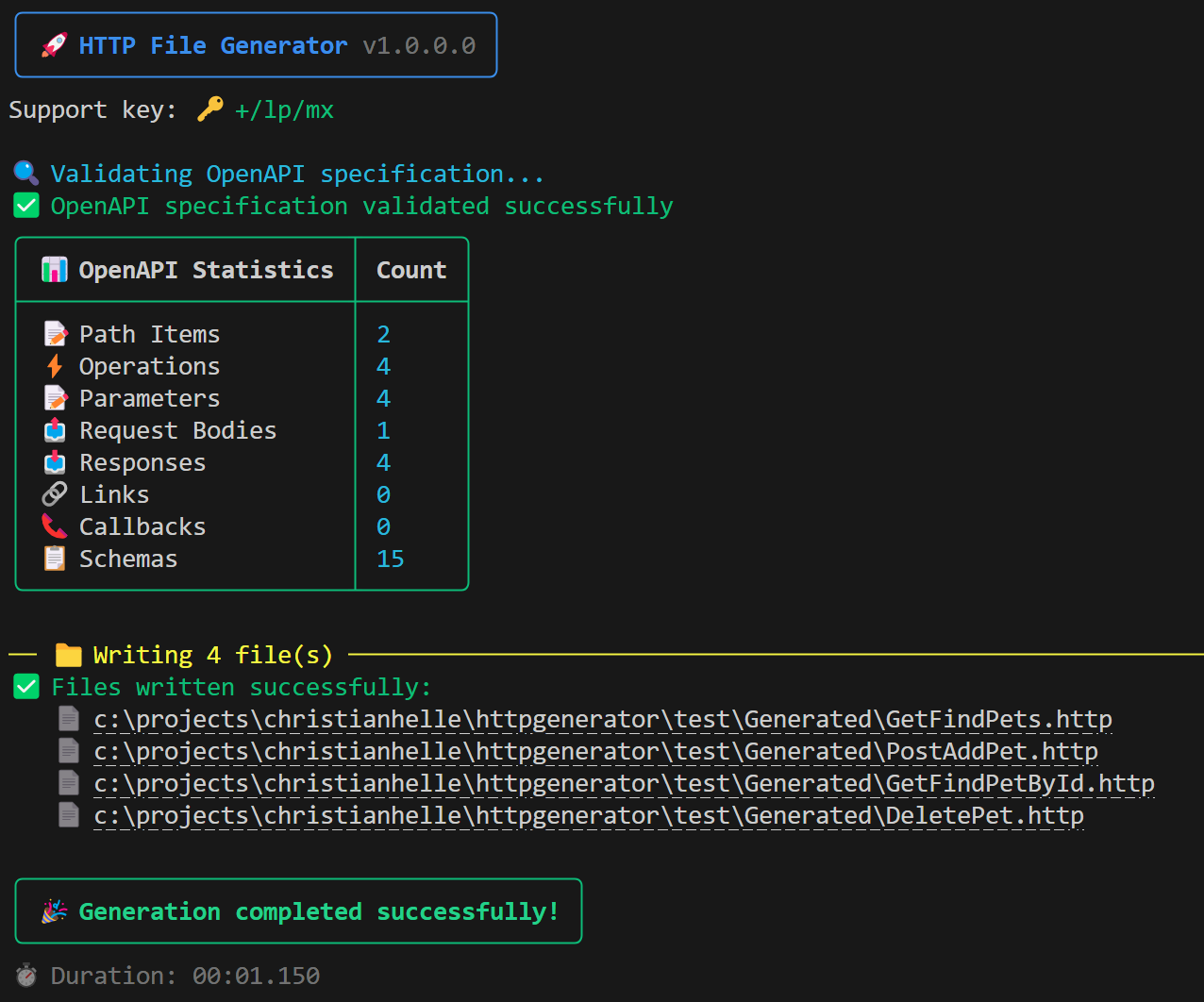
Which will produce the following files:
-rw-r--r-- 1 christian 197121  593 Dec 10 10:44 DeleteOrder.http
-rw-r--r-- 1 christian 197121  231 Dec 10 10:44 DeletePet.http
-rw-r--r-- 1 christian 197121  358 Dec 10 10:44 DeleteUser.http
-rw-r--r-- 1 christian 197121  432 Dec 10 10:44 GetFindPetsByStatus.http
-rw-r--r-- 1 christian 197121  504 Dec 10 10:44 GetFindPetsByTags.http
-rw-r--r-- 1 christian 197121  371 Dec 10 10:44 GetInventory.http
-rw-r--r-- 1 christian 197121  247 Dec 10 10:44 GetLoginUser.http
-rw-r--r-- 1 christian 197121  291 Dec 10 10:44 GetLogoutUser.http
-rw-r--r-- 1 christian 197121  540 Dec 10 10:44 GetOrderById.http
-rw-r--r-- 1 christian 197121  275 Dec 10 10:44 GetPetById.http
-rw-r--r-- 1 christian 197121  245 Dec 10 10:44 GetUserByName.http
-rw-r--r-- 1 christian 197121  513 Dec 10 10:44 PostAddPet.http
-rw-r--r-- 1 christian 197121  521 Dec 10 10:44 PostCreateUser.http
-rw-r--r-- 1 christian 197121  610 Dec 10 10:44 PostCreateUsersWithListInput.http
-rw-r--r-- 1 christian 197121  464 Dec 10 10:44 PostPlaceOrder.http
-rw-r--r-- 1 christian 197121  299 Dec 10 10:44 PostUpdatePetWithForm.http
-rw-r--r-- 1 christian 197121  274 Dec 10 10:44 PostUploadFile.http
-rw-r--r-- 1 christian 197121  513 Dec 10 10:44 PutUpdatePet.http
-rw-r--r-- 1 christian 197121  541 Dec 10 10:44 PutUpdateUser.http
Generated File Examples
In this example, the contents of PostAddPet.http looks like this:
@contentType = application/json

#############################################
### Request: POST /pet
### Summary: Add a new pet to the store
### Description: Add a new pet to the store
#############################################

POST https://petstore3.swagger.io/api/v3/pet
Content-Type: {{contentType}}

{
  "id": 0,
  "name": "name",
  "category": {
    "id": 0,
    "name": "name"
  },
  "photoUrls": [
    ""
  ],
  "tags": [
    {
      "id": 0,
      "name": "name"
    }
  ],
  "status": "available"
}
and the contents of GetPetById.http looks like this:
@contentType = application/json

#######################################
### Request: GET /pet/{petId}
### Summary: Find pet by ID
### Description: Returns a single pet
#######################################

### Path Parameter: ID of pet to return
@petId = 0

GET https://petstore3.swagger.io/api/v3/pet/{{petId}}
Content-Type: {{contentType}}
Azure Integration
Here's an advanced example of generating .http files for a REST API hosted on Microsoft Azure that uses the Microsoft Entra ID service as an STS. For this example, I use PowerShell and Azure CLI to retrieve an access token for the user I'm currently logged in with.
az account get-access-token --scope [Some Application ID URI]/.default `
| ConvertFrom-Json `
| %{
    httpgenerator `
        https://api.example.com/swagger/v1/swagger.json `
        --authorization-header ("Bearer " + $_.accessToken) `
        --base-url https://api.example.com `
        --output ./HttpFiles
}
You can also use --azure-scope and --azure-tenant-id to let the Rust CLI acquire an access token during generation. The CLI currently checks Azure CLI and Azure Developer CLI logins and keeps generation running even if token acquisition fails.
httpgenerator `
  https://api.example.com/swagger/v1/swagger.json `
  --azure-scope [Some Application ID URI]/.default `
  --base-url https://api.example.com `
  --output ./HttpFiles
Error Logging, Telemetry, and Privacy
The Rust CLI keeps a sink-agnostic telemetry recorder that can capture feature usage and redacted error context.
By default, logging is enabled, but --no-logging disables feature and error event recording entirely.
User tracking is anonymous and derived from the Support key shown when running the tool while logging is enabled.
HTTP File Generator v0.1.5
Support key: mbmbqvd
The support key is just the first 7 characters of the generated anonymous identity. Authorization headers are recorded as [REDACTED], and personal machine details are normalized before telemetry is emitted.
No support key is generated when you opt out with --no-logging.
Visual Studio 2022 Extension
This tool is also available as a Visual Studio 2022 extension
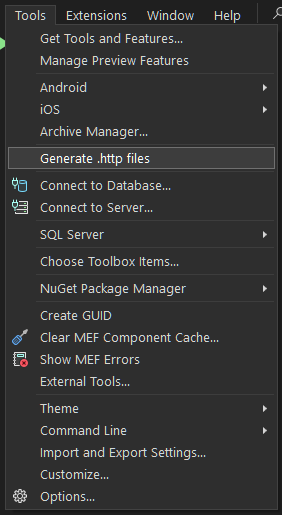
From the Tools menu select Generate .http files
This opens the main dialog which has similar input fields as the CLI tool and shells out to the Rust httpgenerator.exe executable.
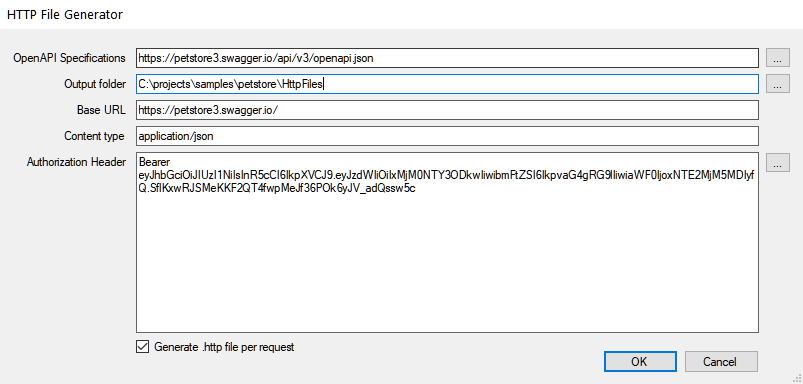
The Visual Studio extension resolves httpgenerator.exe from HTTPGENERATOR_PATH, the bundled VSIX payload, repo-root workspace target\debug / target\release outputs during development, or PATH. A Cargo-installed CLI can therefore be reused when you want the extension to target the same binary you use from the terminal.
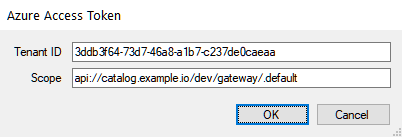
You can supply Azure Entra ID tenant and scope settings by clicking on the ... button beside the Authorization Headers input field. The Rust CLI acquires the access token during generation.
By default, the Output folder is pre-filled with the path of the currently active C# Project in the Solution Explorer, suffixed with \HttpFiles
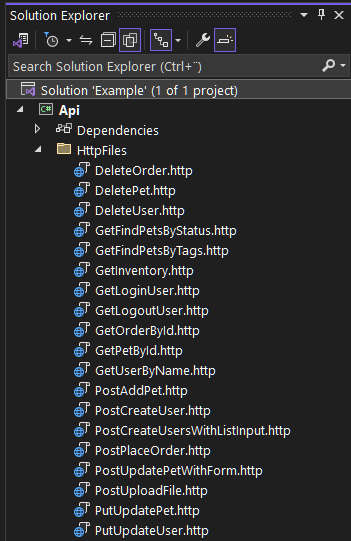
Once the .http files are generated you can easily open and inspect them